
Once your Boosterberg account is created and verified, you are ready to create a new campaign and start boosting your posts.
Click on “login” at the boosterberg.com page (or go directly to app.boosterberg.com) and sign in with your Facebook profile. After a short loading period, you should arrive at your Dashboard.
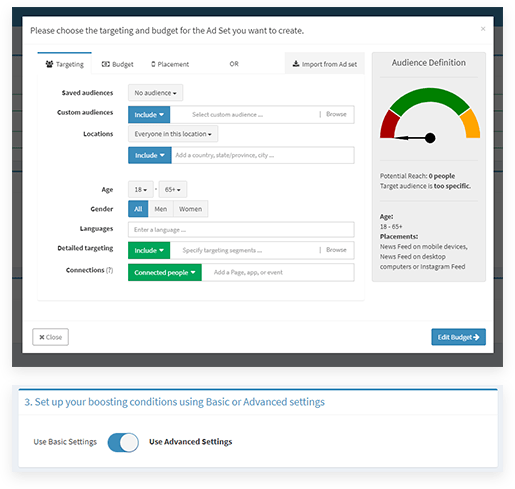
Click on the Create new campaign button. Several options will appear:
Subscribe to our newsletter for updates on Boosterberg news and features.