

Boosting is one of the most used, and most misunderstood, tools in social media advertising.
In 2026, boosting a Facebook post still works brilliantly — but only when done with purpose. The real difference between wasted budget and measurable impact lies in what you boost, when you boost it, and how you optimize the process.
In this guide, we’ll walk through how boosting actually works, the best strategies to follow, and how to automate the whole boosting process so it delivers results without the huge manual hassle.
Main Points:
-
Boosting turns existing posts into ads fast.
It’s the simplest way to extend reach and engagement without building full campaigns in Ads Manager. -
Success starts with the right post and setup.
Choose posts that already perform well, then align your goal, audience, placements, budget, and duration with what you actually want to achieve. -
Timing and data improve performance.
Boost after organic traction appears — this gives Meta data to optimize delivery and keeps costs more efficient. -
Manage boosts based on results, not guesswork.
Track performance, stop when costs rise, and consistently promote proven content (manually or through automation).
What Is a Boosted Post on Facebook?
Boosting a post means turning one of your existing Facebook Page posts into a paid ad. It’s a shortcut – you pick a post, set your audience, budget, and duration, and Facebook starts showing it to more people.
The goal is simple: to amplify your content’s reach and engagement while helping you build brand awareness faster than organic reach ever could.
Unlike Meta Ads Manager, where you can design complex campaigns, boosting focuses on simplicity and speed. It’s perfect for posts that are already performing well organically and deserve extra reach.
How to Boost a Facebook Post in 2026
1. Choose the Right Post to Boost on Facebook
Start by checking which of your recent posts achieved above-average results(reach, comments, shares, link clicks). Those are the strongest candidates for boosting.
Posts that already resonate with your audience tend to convert paid impressions into meaningful results.
2. Select Your Goal
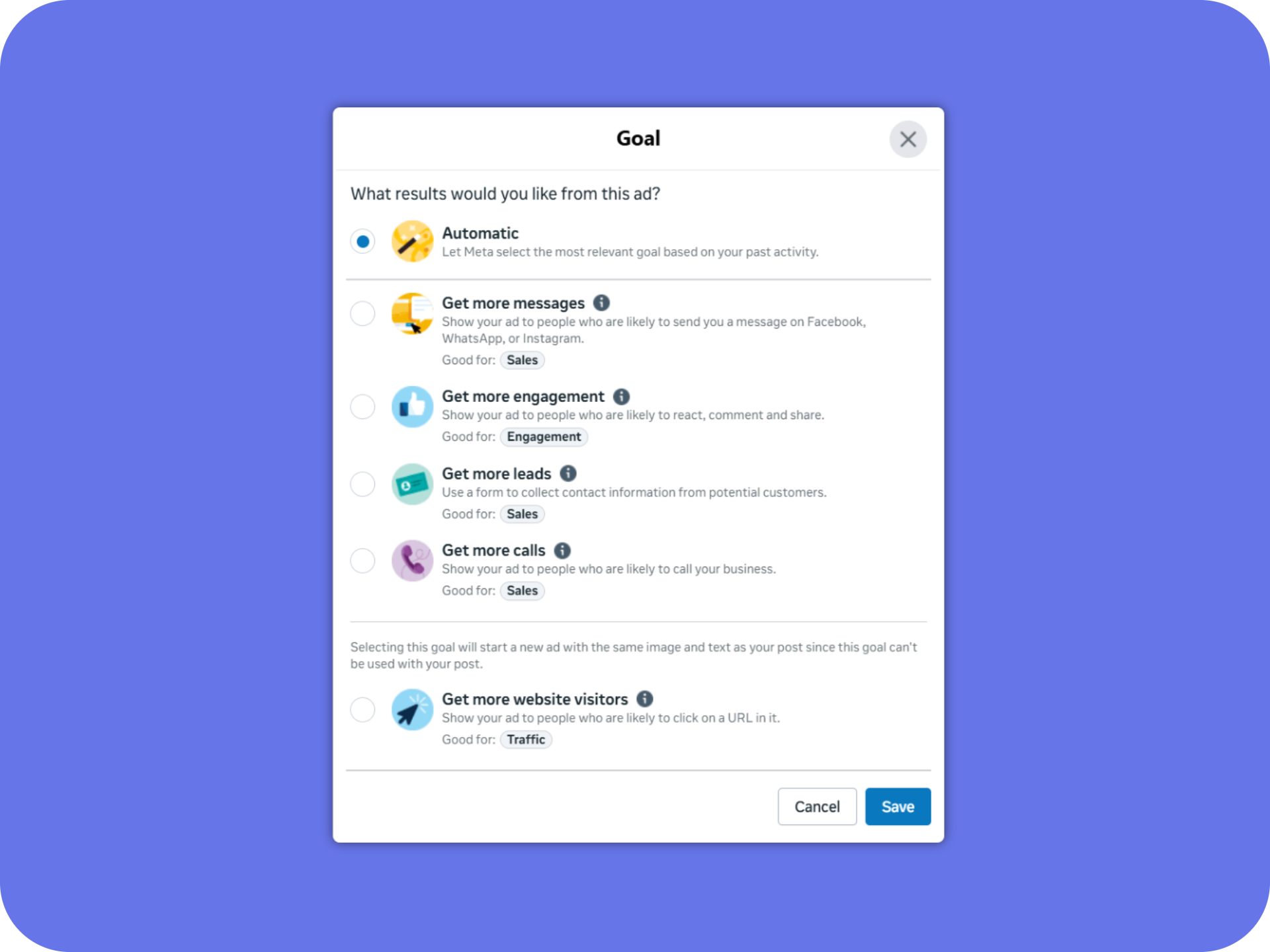
Facebook lets you pick a from these primary objective:
- Get more messages
- Get more engagement
- Get more leads
- Get more calls
- Get more website visitors
Select the goal that reflects what you truly want. For example, if your priority is driving traffic, choose website visits, not engagement.
Or you can let Facebook pick the goal based on your past activity by clicking on “Automatic”
Each objective instructs Meta’s delivery algorithm to optimize differently.
3. Define Your Audience
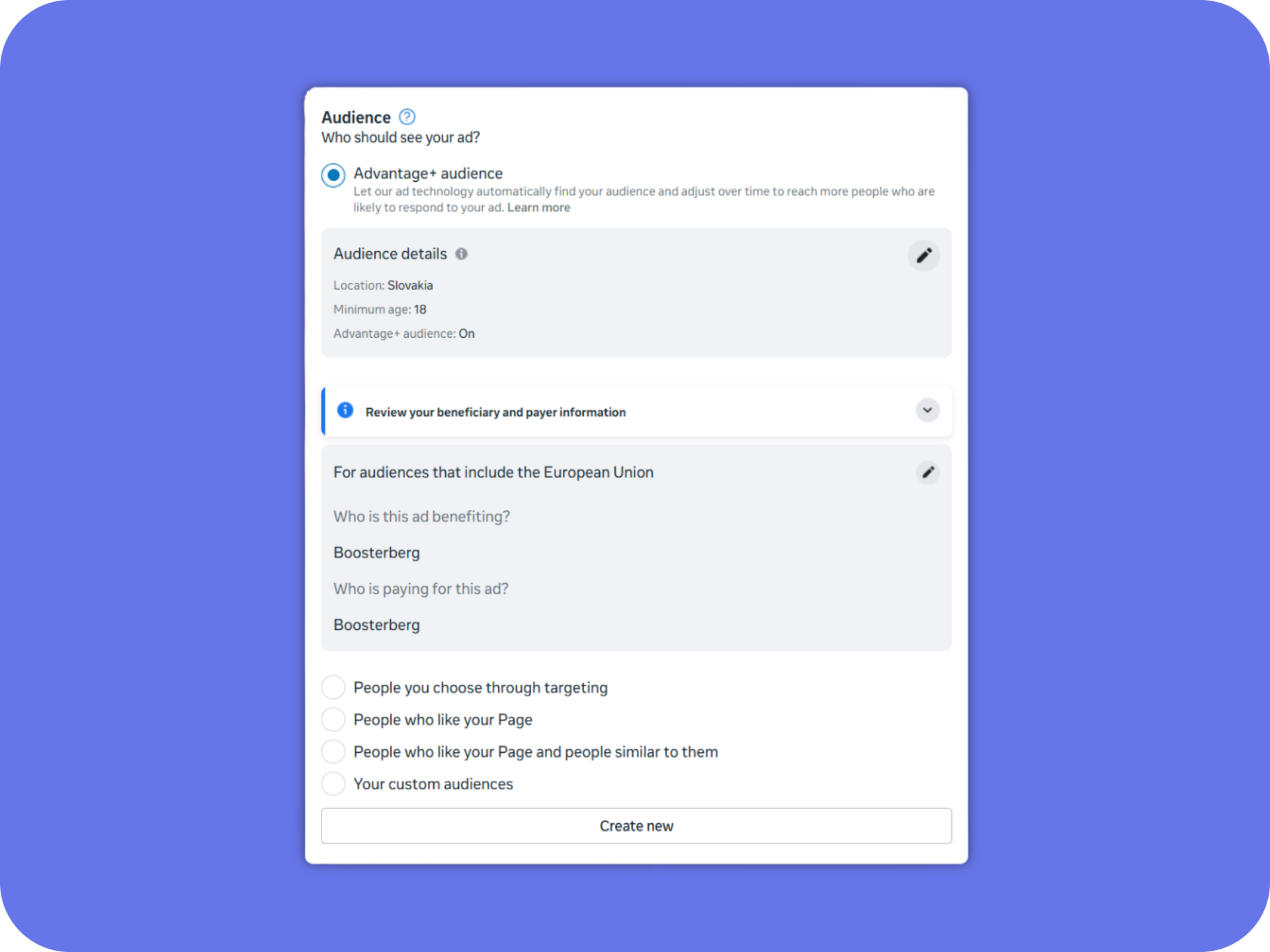
When boosting a post, Facebook gives you several ways to choose who will see your ad. Depending on your Page setup, you may see these options:
- Advantage+ audience
Facebook automatically finds the people most likely to respond to your post. This option is often enabled by default and adapts over time based on performance. - People you choose through targeting
Manually select interests, age, gender, and locations. Ideal when you want more control. - People who like your Page
A warm audience who already knows your brand — great for engagement and retention. - People who like your Page and people similar to them
A mix of your followers + a lookalike-style expansion that helps you reach new but relevant people. - Your custom audiences
If you’ve set up custom audiences in Ads Manager (website visitors, customer lists, video viewers, etc.), you can select them here.
If you’re new to boosting, start with your existing followers or website visitors (if you have the Meta Pixel installed). They already know your brand and are more likely to engage.
As your confidence grows, expand to cold audiences with interest targeting.
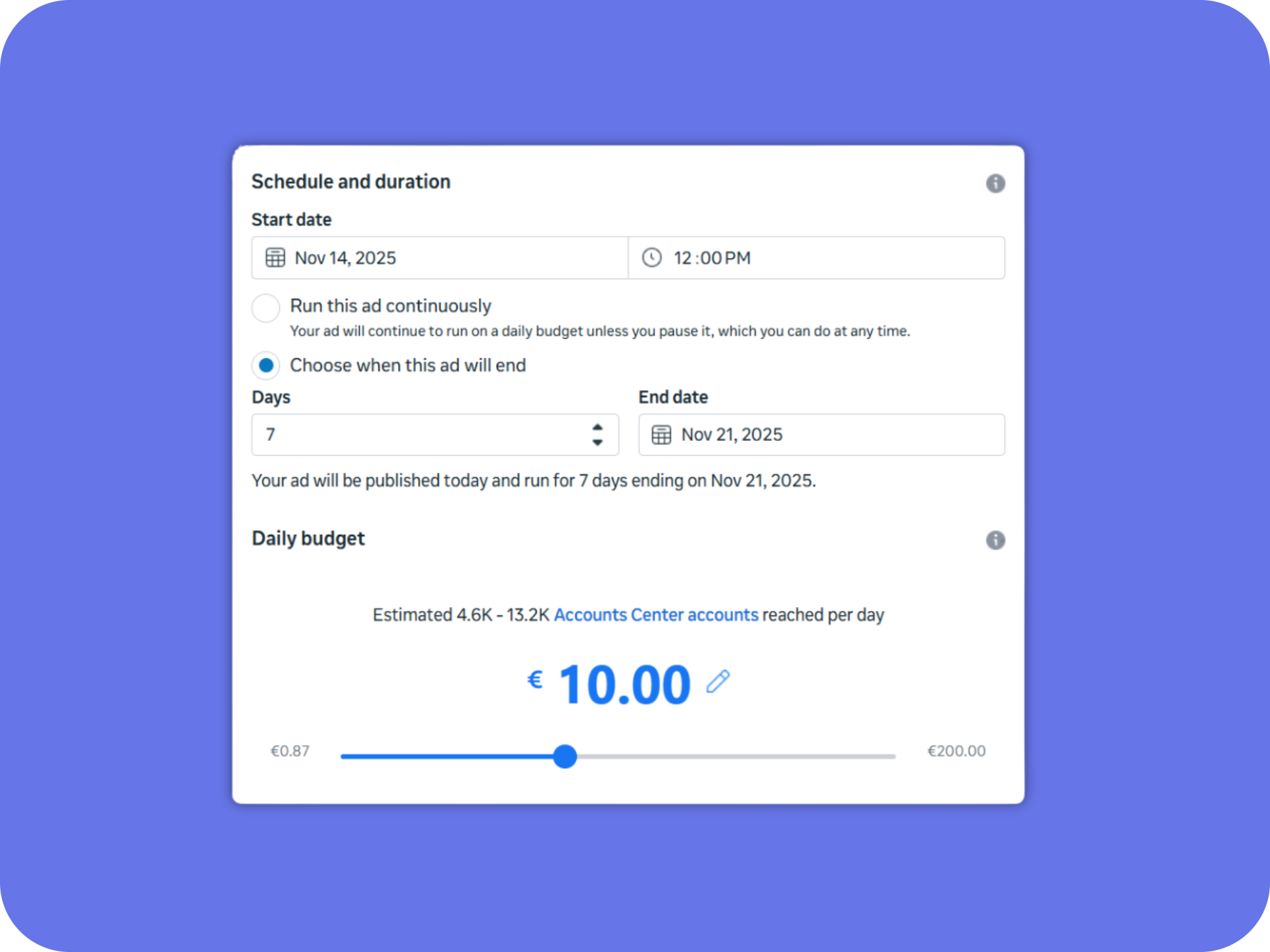
4. Set Budget and Duration
You can start boosting from as little as $1 per day, but the ideal budget really depends on your goals. Decide how much you’re willing to pay for a meaningful result — for example, 1,000 views or a certain engagement rate.
Keep in mind that boosting gets gradually more expensive over time. As your post reaches more people, Facebook has to work harder to find new, relevant users – which increases your cost per result.
Once your results reach the benchmark you’re comfortable with (e.g. CPM or cost per engagement), it’s best to stop boosting.
5. Choose Placements
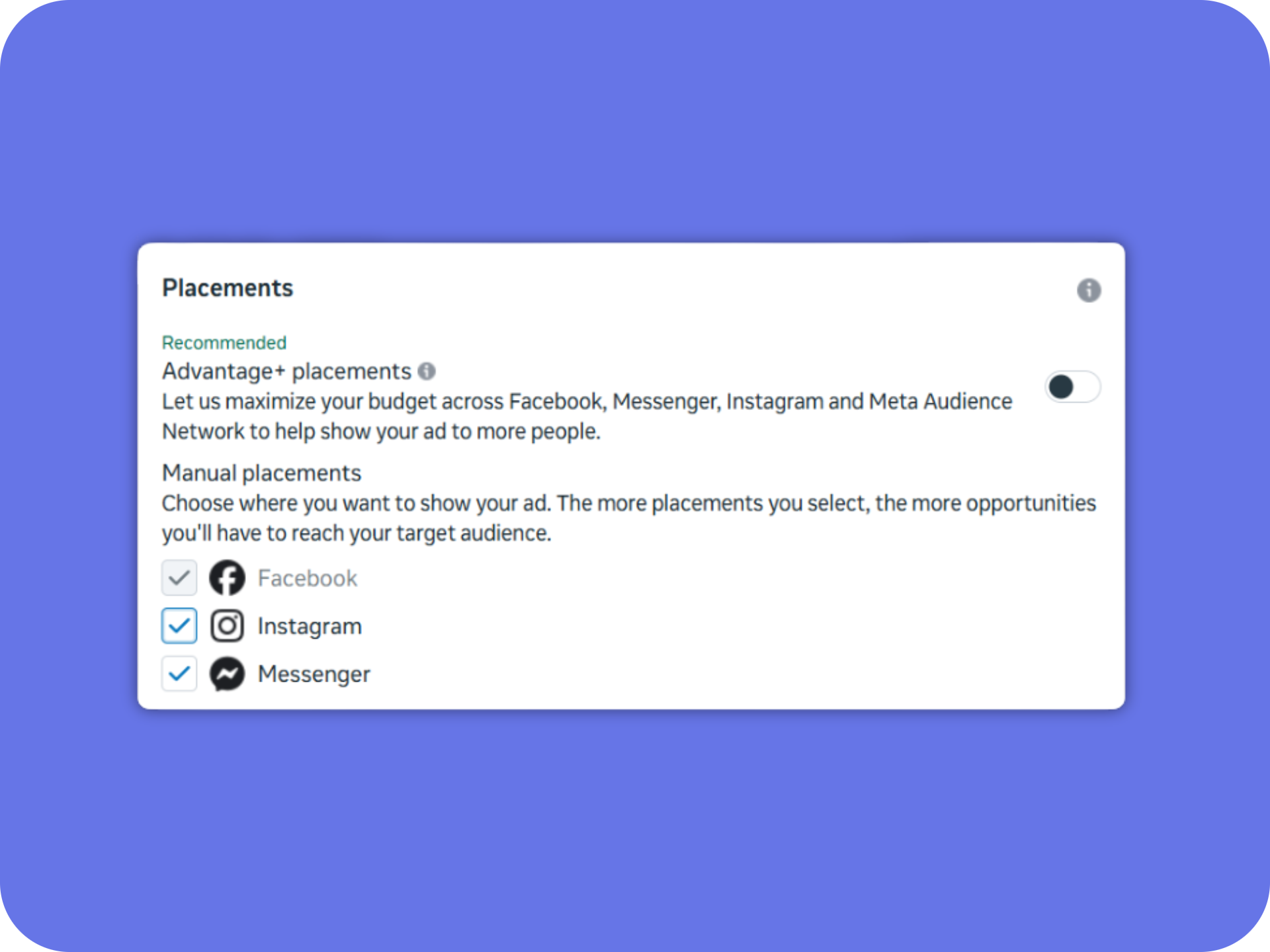
By default, Meta’s Advantage+ placements distribute your boost across Facebook, Instagram, and Messenger.
If your audience interacts primarily in one channel – for example, Instagram Reels = you can manually narrow placements.
Once you’re satisfied with your setup, click Publish.
Facebook reviews your ad, and within minutes, your promotion starts running.
When to Boost and When Not To
Timing can make a big difference in both cost and results.
The best moment to boost a post is after it’s proven to perform well organically, but before its momentum fades.
If your posts usually get around 1,000 views, and one of them reaches or exceeds that number, that’s a good sign it’s resonating with your audience and worth boosting.
Watch your post’s performance curve — whether it’s reach, link clicks, engagement rate, or another key metric.
When the growth starts to flatten out (you’re getting fewer results than you did a few hours or a day earlier), it means the organic momentum is slowing down and that’s the perfect time to start boosting.
At that point, Facebook already has enough engagement data to find similar people efficiently, giving you better results at a lower cost.
When not to boost:
Avoid boosting posts that perform below your average — if a post isn’t gaining traction organically, boosting it usually won’t fix that. It just makes the lack of engagement more expensive.
Also, don’t keep boosting a post once the costs start rising significantly. When your results become too expensive compared to earlier performance, it’s better to stop and invest that budget into another post that’s performing better — you’ll get more value for the same spend.